The Better Marketing Blog
Better tips, tools, and tactics for the AI era.
Better tips, tools, and tactics for the AI era.
LinkedIn video ads are one of the few channels where B2B marketers can get in front of decision-makers without guessing who’s behind the screen.
In this guide, we’ll break down what makes a LinkedIn video ad truly perform: from setting the right campaign goals to creating eye-popping creative.
LinkedIn provides the place to reach B2B decision-makers who actually have budget and authority. Video is how you stop them from scrolling past your post.
While static ads can drive awareness, video gives you something more: context, emotion, and credibility, all in under 30 seconds. It’s a fast track to engagement.
It works. Salesforce used LinkedIn Live and video content to pull in over 600,000 organic viewers across an 11-episode series, earning a 3% engagement rate without paid media support, an unusually high lift on a platform known for premium reach.
LinkedIn gives you the audience. Video helps you earn their attention. Together, they give your message staying power.
High-performing LinkedIn video ads hit key benchmarks and KPIs across a few essential metrics:
These benchmarks are baselines, but your mileage may vary. The real goal is to track and measure your own baseline campaign, then look to outperform it over time.
Before the storyboard and the script, start with strategy. The best-performing video ads happen in planning. Use this framework to align your creative, targeting, and goals before you ever hit record.
Every element, from your opening frame to your CTA, should map back to one clear goal.
Match your format to your objective. A 15- to 30-second explainer works for top-of-funnel goals. A 60-second product demo fits lower-funnel asks.
Use LinkedIn’s filters (job title, seniority, company size, industry) to narrow in on who influences buying decisions. Then align your content to where they are in the funnel:
Start with knowing who you’re talking to, and why they should care.
Don’t waste a good video with a weak finish. Think carefully about what you want the user to do next.
Here are some of the most common performers on LinkedIn:
Keep the tone professional, direct, and benefit-driven. Most importantly, think of your CTA as a handoff. Your video should build to the CTA, not drop it in cold.
Strong strategy gets you in the door. Smart creative keeps you there. On LinkedIn, where attention spans are short and expectations are high, your video needs to earn every second.
These tactics help your content stand out without stepping outside the lines.
You’ve got three seconds to make a first impression. Make them count.
Skip the gimmicks; this isn’t TikTok. On LinkedIn, attention comes from relevance.
Open with a stat, a bold POV, or a sharp business question. Frame your message in language that says, “This is worth your time.”
No one’s watching a three-minute pitch during their coffee break. Length matters if you want to be seen and remembered.
Data Source: The B2B House
People don’t want a list of what your product does. They want to know who it helps and how.
Salesforce nailed this with a campaign of 20-second vertical videos featuring their CTO. Paired with LinkedIn Lead Gen Forms, they hit a 37% view-through rate, 61% completion on mobile, and a 4.8% conversion rate.
Thoughtful creative turns scrolls into clicks, and clicks into leads.
Targeting depends on relevance. Here’s how to make sure your LinkedIn video ads show up in front of the right people at the right time.
Start with who you already know. Upload CRM lists, email segments, or website retargeting pools to reconnect with high-intent prospects.
LinkedIn’s Matched Audiences feature makes it easy to retarget people who’ve already visited your site, watched your videos, or interacted with past campaigns.
Want to suppress current customers from seeing a new offer? You can do that too.
Broad reach means broad waste. Tighten it up.
Use LinkedIn’s targeting tools to combine multiple filters, like job title, seniority, company size, industry, and geography, to zero in on the right buying committee.
The more focused the audience, the higher the relevance, and the lower your cost per qualified view.
Not all placements serve the same purpose:
Use both in tandem: Lead with sponsored content to build awareness, then follow up with video ads that push for action. It’s a one-two punch that moves prospects from scroll to submit.
Launching the campaign is just the start. The real wins come after your ad goes live, through tracking, testing, and tweaking.
To know what’s working (and what’s not), track these metrics like your budget depends on them:
If your performance is slipping or not where you want it to be, it’s time to optimize.
Optimization isn’t optional. It’s where your campaign moves from “running” to “working.”
Seeing real B2B examples helps you calibrate your approach. Here are several brands and lessons you can adopt.
Salesforce has published multiple LinkedIn case studies. In one, they pioneered the Live Event ad feature and racked up more than 3.4 million views and a 30% cost reduction.
In another, they ran an 11‑episode video series on LinkedIn Live, drawing 600,000+ organic viewers and achieving a 3 % engagement rate.
In a separate ad campaign, they saw 4x uplift in impressions among decision-makers using LinkedIn Connected TV Ads.
Using multiple ad formats and relentless testing enables Salesforce to generate consistent results.
Slack leverages conversational, user‑style video ads that appear native and informal. These often envision remote work settings or collaboration challenges.
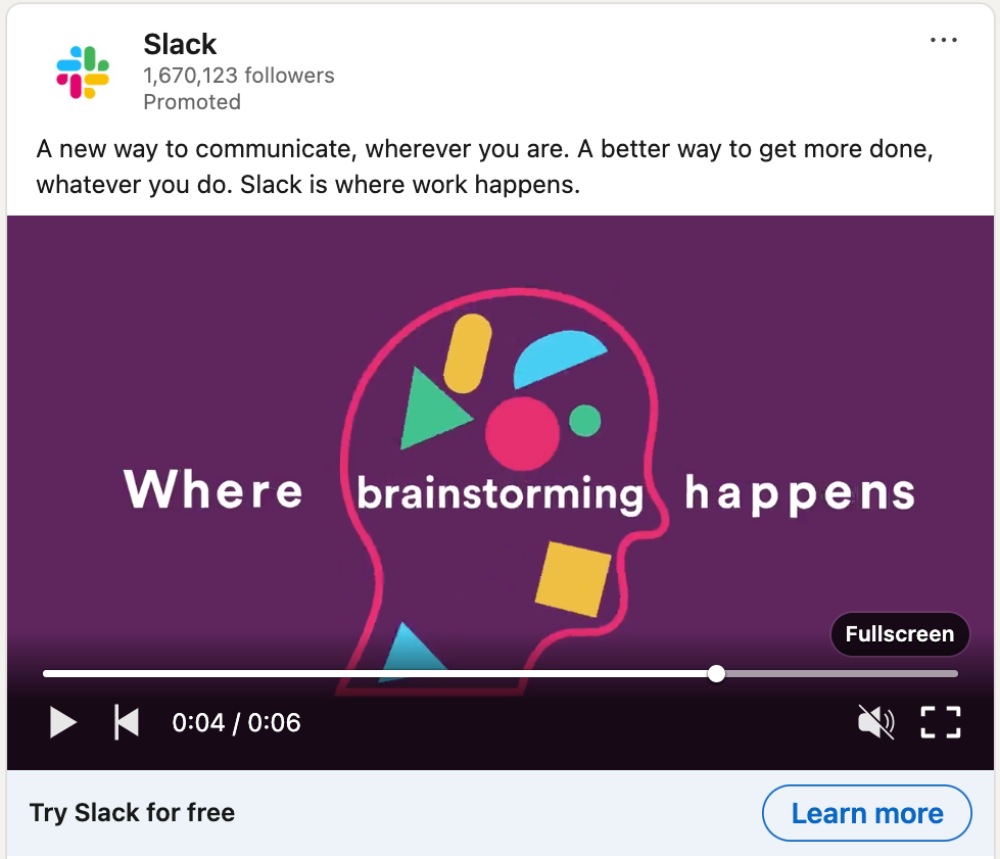
By making the format feel personal, Slack avoids feeling like a cold pitch.
Grab uses crisp storytelling and customer case narrative formats. They emphasize use cases, outcomes, and ROI over product features.
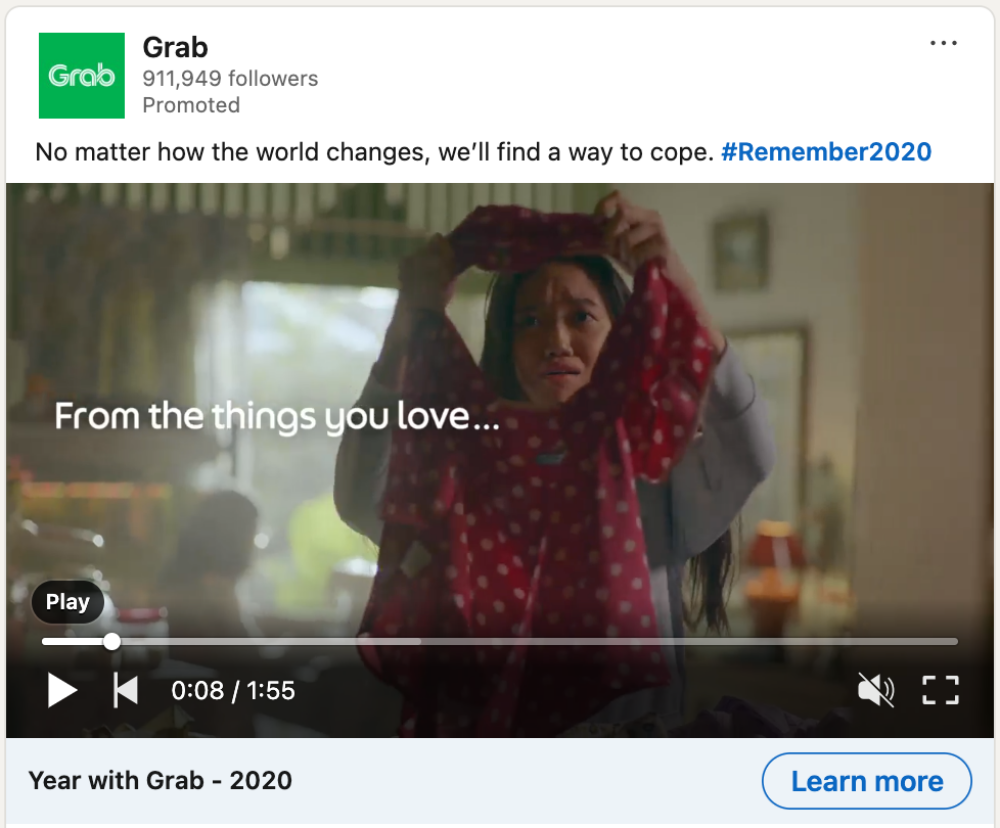
Relatable scenes with clear CTAs build trust quickly and help the viewer take the next step without overthinking it.
Not every brand has a big budget, but you don’t need it. The best LinkedIn video ads have these things in common:
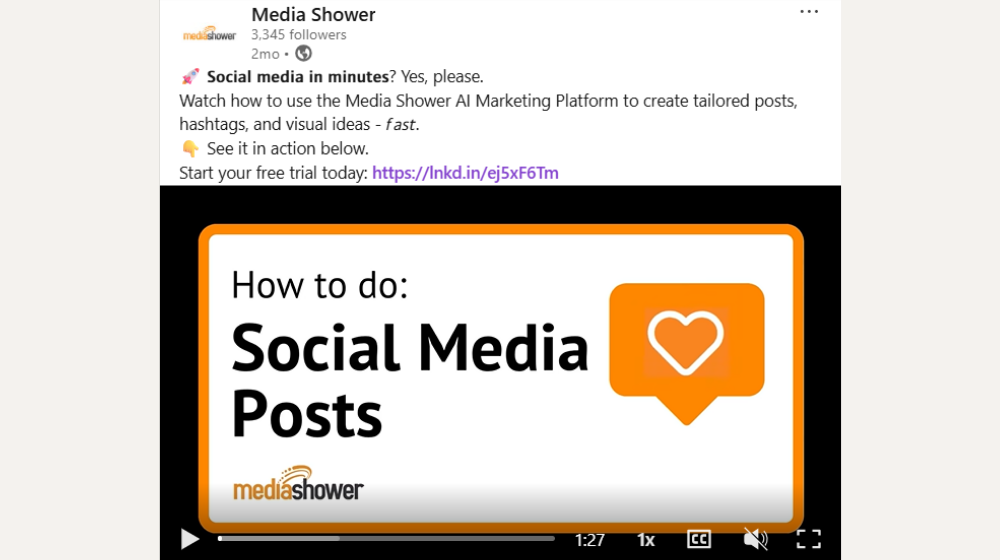
Media Shower’s AI marketing platform helps teams create high-performing videos fast. Click here for a free trial.
Start your free Media Shower trial and get personalized insights on your SEO, competitors, AI visibility, and what to do next.