Quick Summary
- Gemini 3 Pro works as a full marketing operating layer—not a chatbot—integrated across your existing Google workflows.
- Its Deep Think reasoning, multimodal understanding, and 1M-token context window let marketers run strategy, content, messaging, and analysis in a single intelligent thread.
- Each workflow pulls from the same shared intelligence, eliminating fragmentation across teams.
- Gemini turns high-value inputs (webinars, demos, PDFs, dashboards) into structured insight, content libraries, and ready-to-run campaigns in minutes.
- With Nano Banana integration, marketers generate fully on-brand visuals instantly, making creativity as scalable as writing.
- The model upgrades marketers from fragmented production to orchestrated strategy, enabling true full-stack execution.
Presentations.ai recently shared a metric that should make every marketer stop scrolling: Their enterprise sales teams now walk into C-suite meetings with intelligence that used to take analysts six hours to prepare.
Gemini 3 generates it in 90 seconds.
That’s a 96% reduction in prep time, and it’s reshaping how marketing teams operate.
When Google released Gemini 3 Pro in November 2025, the conversation centered on speed. But the more important story sits underneath that benchmark.
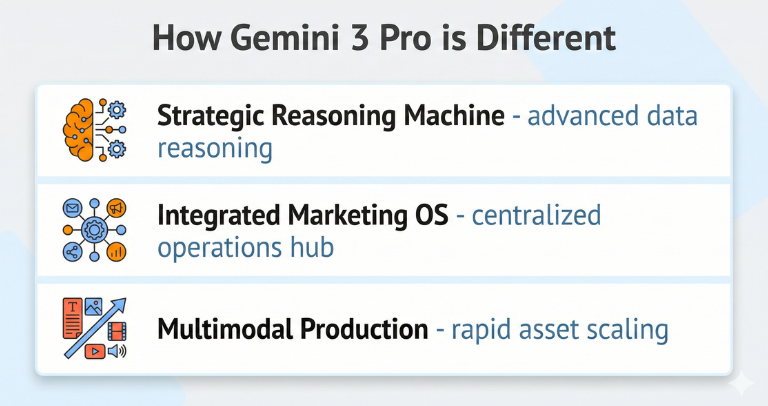
Gemini 3 Pro is much more than a chatbot. It acts as a marketing operating system inside your existing workflow rather than another chatbot in a browser tab.
This article shows you how to move from competitive analysis to strategy to full campaign execution, all within a single intelligent thread.
Why Gemini 3 Pro Is a Big Leap Forward
New AI tools launch every week, and the cycle is getting exhausting—hype, then disappointment. Plenty of marketing teams tested early models, ran into hallucinations, and rightfully backed off.
Gemini 3 Pro deserves a second look because its upgrades tackle the real complexity of B2B marketing.
Here’s a breakdown of the specific capabilities that elevate Gemini 3 Pro from a simple chatbot to a content marketing system.
Works within your existing tools
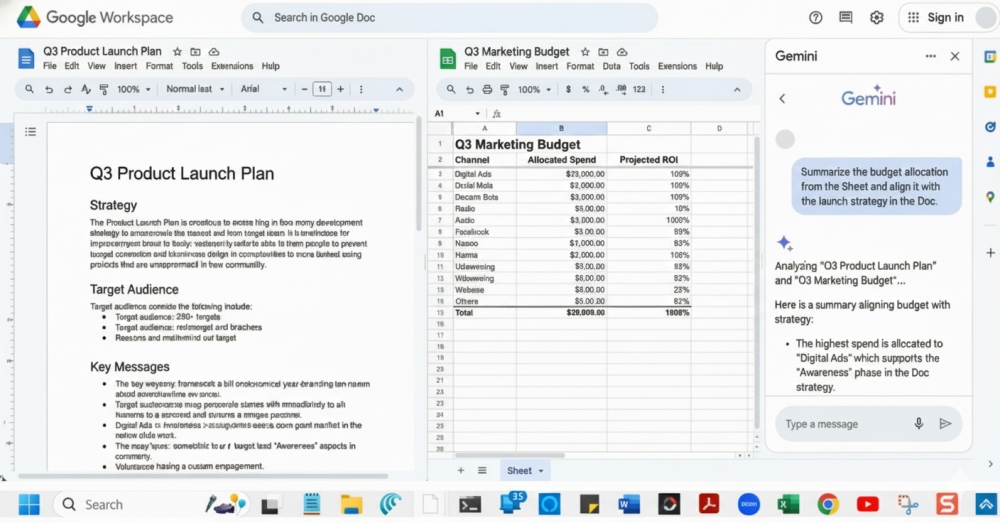
Most AI tools require teams to learn a new interface or move work into a separate platform. Gemini 3 Pro is different.
Google built the model directly into the Google Workspace, so Gemini 3 integrates seamlessly with Google Docs, Sheets, and Slides. It’s also integrated into Google Ads and Cloud services, which means it operates where marketers already plan, write, analyze, and collaborate.
This integration improves adoption for teams that live inside Google’s ecosystem, yet Gemini also performs as a powerful standalone tool for companies that don’t use Workspace.
Deeper reasoning
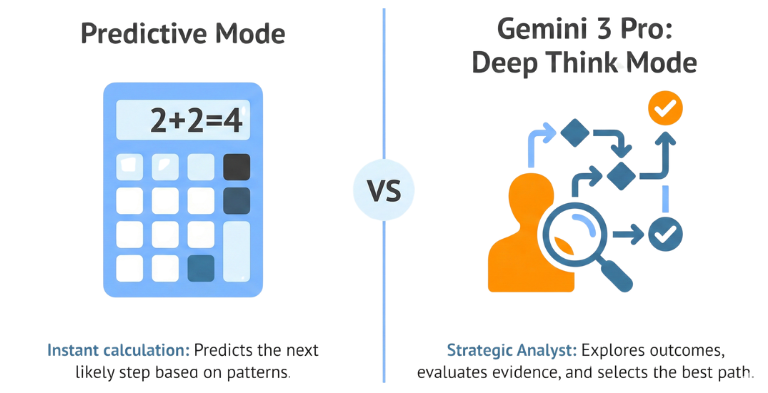
While earlier models work by predicting the next likely word, Gemini 3 Pro uses a Deep Think mode that behaves more like a strategic analyst.
When you pose a complex question, Gemini examines multiple explanations, evaluates evidence, and chooses the path that best matches the information you provided.
For example, you might ask: “Our top competitor lowered prices on the mid-market tier. Explain the most likely reasons and how that affects our Q3 launch.”
Gemini can do all of this as a single operation:
- Surface intent. It explains whether the pricing shift looks like a volume play, a defensive move, or a precursor to a product update.
- Project outcomes. It identifies likely changes in pipeline behavior, renewal pressure, and competitive positioning.
- Recommend action. It proposes counter-moves tied to your product strengths and target personas.
It behaves like a strategist who considers multiple angles before choosing a direction.
Massive context window (memory)
Marketers often struggle to keep AI tools aligned with brand voice, product nuance, and historical performance. Gemini 3 counters this problem with a context window of 1,000,000 tokens. That’s large enough to hold your entire marketing universe.
(To compare, ChatGPT currently has a 400,000 token window.)
You can load:
- Customer research. CRM exports, call transcripts, surveys, and win–loss notes.
- Performance history. Multi-year campaign performance, search data, and ad dashboards.
- Product and positioning. Pricing sheets, product specs, release notes, and brand guidelines.
- Competitive landscape. Competitor pages, analyst reports, review snippets, and sales collateral.
Gemini keeps all of this active as it works. That means:
- Better alignment. It writes in your voice, observes your exclusions, and matches your nuance.
- Stronger continuity. You stay inside one thread for an entire launch cycle without needing to start a new chat or repeat input.
- More grounded reasoning. It draws conclusions from your actual materials rather than generic marketing patterns.
True multimodality
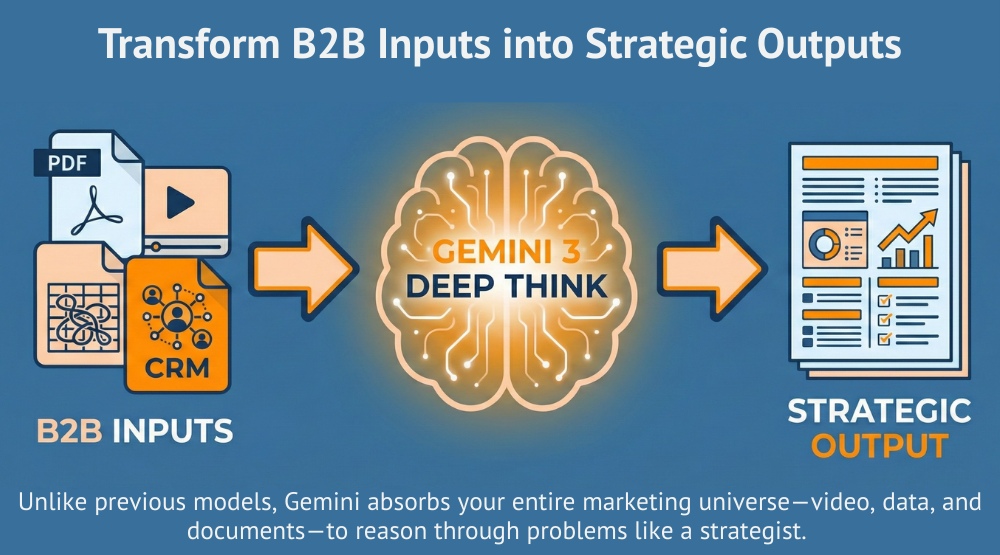
Marketing work rarely lives in one format. Pricing updates arrive as PDFs. Product demos come as videos. Dashboards appear as screenshots.
Gemini 3 reads all of these assets together and interprets them as a single dataset.
So, you might upload:
- A competitor’s webinar recording
- A customer analysis report
- Screenshots from your analytics dashboard
- A pricing PDF from product marketing
- A CSV export from Google Ads
- Your company’s brand guidelines
Gemini analyzes the visuals, listens to the audio, reads the text, and identifies patterns across all of it. It even “watches” videos, which means it can interact with a video instead of a transcript or summary. It sees exactly what you’re seeing and works with the actual content.
Putting Your Content Marketing Engine to Work
Now that we’ve covered the foundations, it’s time to get hands-on. The next seven workflows walk you through a complete marketing cycle.
We’ll move from insight to strategy to execution, so you can build an entire campaign inside a single intelligent system.
Here’s how to put it all together.
Workflow 1: Competitive Analysis
Competitive research has a way of dragging across days because teams are juggling scattered materials. Gemini consolidates and interprets everything in minutes, giving you a structured market view.
Step 1: Gather useful inputs
A representative sample works better than a polished research binder.
Focus on:
- Your truth: product specs, pricing sheets, internal materials
- Their truth: competitor pricing pages, product pages, documentation
- Your history: campaign reports showing what performed and what stalled
Step 2: Ask for deeper analysis
A clear instruction guides Gemini toward analytical thinking instead of surface-level summaries.
“Act as a senior product marketer. I’m uploading our product documentation and the URLs of our top three competitors. Perform a deep research analysis and identify: The ‘underserved’ gap—three customer pain points the competitive set mentions but doesn’t resolve. Pricing vulnerabilities—places where competitor pricing creates friction or confusion for buyers. Messaging fatigue—phrases that appear across competitor sites that we should avoid. Constraint: Don’t summarize features. Quote specific claims from their sites and cross-reference sentiment from public review platforms.”
Step 3: Turn insights into positioning fuel
Look for hidden weaknesses (features competitors oversell) and language saturation (overused phrases). These become the raw materials for your differentiation strategy.
Use Case Example
Weakness detection. A security vendor discovered that competitors overclaimed ease of implementation while customer reviews described complex setup. That gap became the foundation of their launch narrative.
When you’ve mapped the competitive landscape and the gaps are clearly defined, the next step is turning those insights into direction.
Gemini can now shift from analysis to strategy, building a positioning framework that reflects the realities you uncovered in Workflow 1.
Workflow 2: Strategy Brief
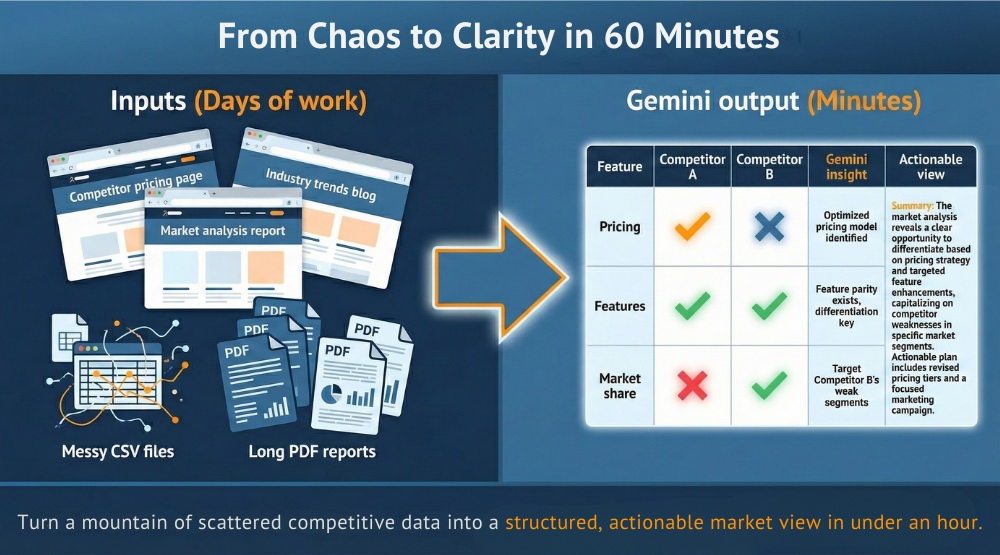
Once the analysis is done, shift directly into strategy. Because Gemini remembers your inputs, it already understands the tension in your market.
Step 1: Ask for a complete strategy
“Based on the competitive gaps you identified, create a positioning strategy for our Q3 launch. Use Deep Think to reason through your recommendations. Deliver a strategy brief that includes: 1) The Wedge Segment (Who cares most?), 2) The Attack Vector (Where are competitors weak?), 3) Content Pillars (What themes prove our value?), 4) Channel Defense (Where will we distribute?)”
Use Case Example
Attack vector. A procurement platform found that competitors anchored on cost savings while customers complained about delays. Gemini recommended a cycle-time reduction narrative, giving the team an uncontested angle.
Step 2: Validate the thinking (the “Red Team” step)
Don’t accept the first draft blindly. Force Gemini to defend its logic:
- “Explain why this wedge segment feels urgency now rather than later.”
- “Act as our toughest competitor. How would you attack this strategy?”
- “List three risks if we adopt this messaging and propose mitigations.”
Use Case Examples
Defense strategy. A cloud platform learned that a competitor excelled at broad category advertising but under-invested in persona-led channels. Gemini recommended a targeted defense strategy in those channels before the gap closed.
Once the strategy is defined and pressure-tested, the next challenge is turning that clarity into market-ready messaging. With the foundation set, Gemini can now translate your strategic direction into the language your audiences actually respond to.
Workflow 3: Messaging and Content Planning
The strategy brief already answers the questions that usually slow teams down: who you’re targeting, what pressures shape their decisions, and how your product resolves those pressures.
Now, translate that clarity into execution frameworks.
Step 1: Build the messaging architecture
“Using the Strategy Brief and competitive gaps you identified, build a complete messaging architecture. Include top-level positioning, value propositions, three supporting proof points for each persona, objection handling, and a ‘why now’ narrative tied to current market conditions, not generic benefits.”
Use Case Examples
- Persona-specific proof points. When a collaboration platform uploaded CRM notes and customer quotes, Gemini created distinct proof points for IT leaders, end users, and procurement managers. Each referenced real comments from the transcripts, cutting revision cycles significantly.
- Stronger urgency narrative. A compliance software provider asked Gemini to build a “why now” story. Gemini tied urgency to rising audit requirements and regulatory shifts documented in their research binder, giving the launch message real teeth.
Step 2: Build a quarterly content plan
“Create a Q3 content plan that aligns with the Strategy Brief. Include ten core content pieces designed for our wedge segment. Map each piece to the appropriate funnel stage, distribution channel, and conversion goal.”
Use Case Examples
- High-leverage assets. When a workflow automation company asked for a content plan, Gemini recommended a diagnostic assessment tool as the top priority. Why? Diagnostic tools historically converted at more than twice the rate of ungated resources in their uploaded campaign data.
- Full-funnel cohesion. A B2B analytics platform received a plan mapping webinars, explainers, and case assets to specific funnel stages, removing the guesswork that usually bogs down quarterly planning.
With the messaging architecture and content plan locked in, the next step is turning raw expertise into scalable assets. That’s where high-value sources like webinars, demos, and interviews become fuel for entire campaigns.
Workflow 4: Turn One Webinar Into a Campaign
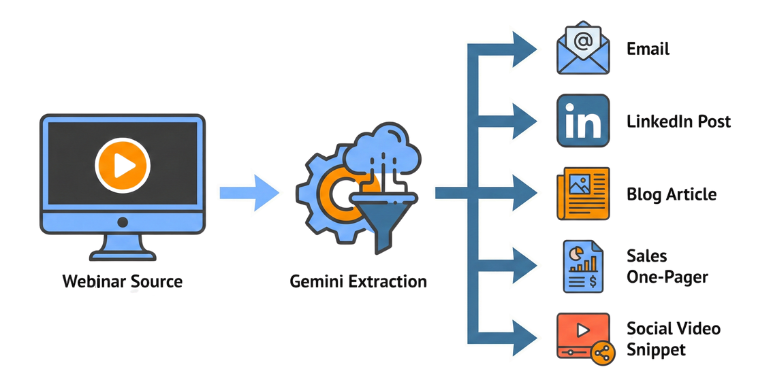
A single high-quality source like an interview or product demo —a webinar, interview, or product demo—can power an entire campaign when Gemini handles the extraction and transformation.
Step 1: Extract structured intelligence
“Transcribe this webinar, identify the ten most compelling insights, and classify each by persona relevance, emotional resonance, and novelty compared to competitor messaging.”
Use Case Examples
- Insight classification. A customer success interview for a supply-chain platform surfaced ten insights. Gemini flagged three as high-emotion moments that resonated with operations leaders and rarely appeared in competitor messaging. Those became the anchors of the launch storyline.
- Persona mapping. A software demo contained segments relevant to both technical evaluators and economic buyers. Gemini separated insights by persona so each audience received tailored messaging—no more one-size-fits-all content.
Step 2: Generate the content library
“Using the high-novelty insights you identified, generate a complete content library: A long-form article (SEO optimized), a ‘contrarian’ LinkedIn post and a narrative thread, a landing page section rewrite, three email variants (awareness, nurture, re-engagement), and a sales enablement one-pager and objection script based on the Q&A section.”
Refine tone or angle as needed.
Use Case Examples
- Cross-channel consistency. A cybersecurity company repurposed a 40-minute webinar into a full campaign kit. Every asset shared the same message pillars—solving a chronic alignment issue across sales, marketing, and customer success.
- Rapid sales enablement. A SaaS startup got an objection-handling one-pager built directly from customer transcripts. Sales adopted it immediately because it reflected real language, not generic pushbacks.
Step 3: Build a campaign flow
“Map these assets into a complete campaign journey with triggers, cadence, and KPIs.”
Once the core narrative is extracted and repurposed, the next bottleneck usually appears in the visuals. That’s where Nano Banana steps in, bringing the same intelligence and consistency to design that Gemini brings to strategy and content.
Learn more about how Nano Banana can make you look great . . . without a design team.
Workflow 5: Visuals with Nano Banana
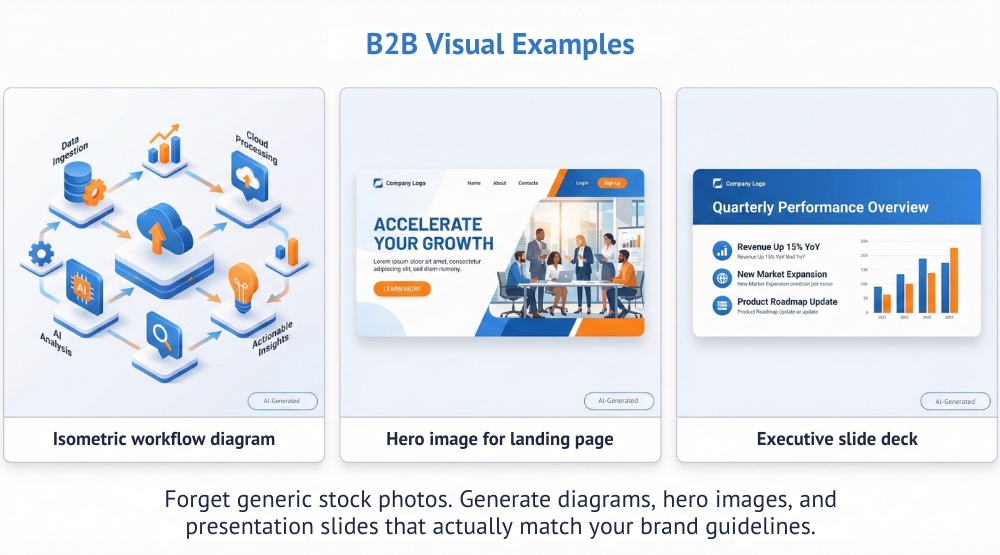
Most teams struggle to get AI visuals to match brand standards. Nano Banana Pro is a best-in-class image generator and editor that solves this problem with “style anchoring.” It treats your brand assets as data and builds a reusable style profile.
Step 1: Establish the style anchor
Upload your brand guidelines, hex codes, logos, and 5–10 examples of your best existing imagery.
“Analyze these brand assets. Identify the lighting style, color palette usage, and composition rules. Create a ‘Style Anchor’ named [Brand_V1] that strictly adheres to these rules for all future image generation in this chat.”
Use Case Example
Brand fidelity. A B2B fintech company uploaded their geometric iconography, muted color palette, and editorial photo samples. Nano Banana reproduced the style precisely across hero images, diagrams, and slide templates.
Step 2: Create campaign visuals on demand
Once the style profile is set, you can request visuals that actually look like your company made them:
- For landing pages: “Using [Brand_V1], create three hero images for the Q3 launch. Subject: A stylized abstract representation of data connectors. Keep the background white (#FFFFFF) for seamless integration.”
- For presentations: “Turn the Strategy Brief into a 12-slide executive deck with on-brand visuals, minimal text, and one insight per slide.”
Use Case Example
Clear conceptual diagrams. A data-quality platform asked Nano Banana for a workflow diagram based on their Strategy Brief. The visual clarified the product’s value path and got reused across decks and landing pages.
With a reusable style anchor in place, visuals become as scalable as copy. Nano Banana turns brand guidelines into a living system, giving every campaign asset—from hero images to diagrams—the same cohesive look. Your team will be able to iterate faster without sacrificing consistency.
Workflow 6: Paid Media & Google Ads Structure
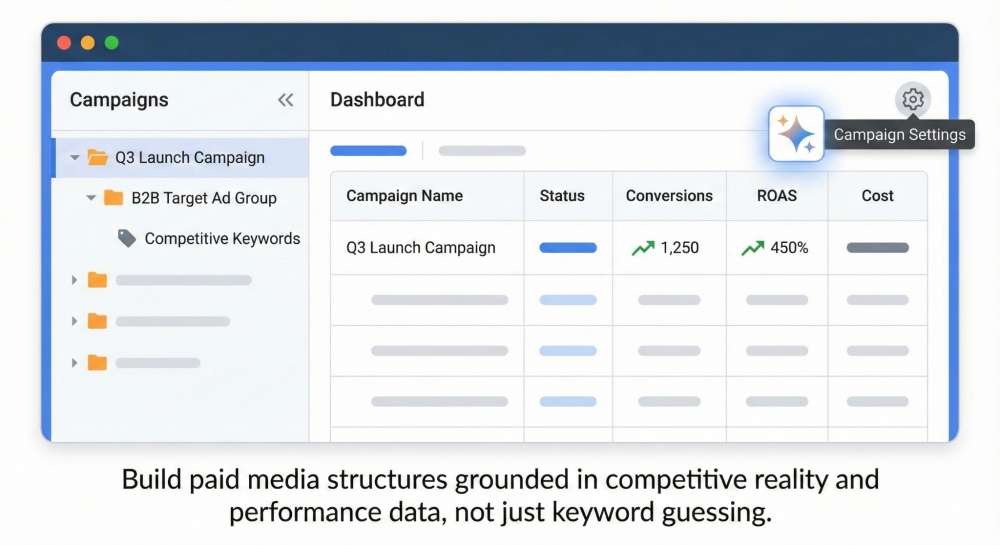
Performance marketing becomes far more efficient when competitive intelligence, creative, and historical data all feed the same reasoning engine. Gemini analyzes intent, performance patterns, and competitive pressure simultaneously.
Step 1: Analyze performance data
Upload Google Ads exports, analytics screenshots, and competitor URLs.
“Analyze this Google Ads performance data alongside our Strategy Brief. Identify wasted spend, high-value conversion patterns, competitor bidding strategies, and underutilized opportunities. Explicitly flag ‘money pit’ keywords competitors are bidding on that we should add to our Negative Keyword list.”
Use Case Examples
- Wasted spend elimination. A project management platform discovered that over a third of their budget went to low-intent keywords like “templates” and “examples.” Gemini recommended reallocating to persona-aligned segments, increasing ROI within the first month.
- Competitive exposure insights. A DevOps company learned a major competitor aggressively overbid on broad terms but underbid on persona-driven queries. Gemini recommended shifting spend to those high-intent modifiers.
Step 2: Build the complete campaign structure
“Based on your analysis and the Strategy Brief, build a full Google Ads structure including campaigns, ad groups, target keywords, negative keywords, ad copy variants, landing page assignments, bidding strategy, and budget allocation.”
Use Case Examples
- Persona-aligned campaigns. A procurement software company received a structure divided by Economic Buyer, Technical Evaluator, and Operations Leader.
- Cleaner landing page paths. A B2B analytics firm routed traffic to pages matching search intent, lowering bounce rates almost immediately.
Step 3: Align landing pages
“Write three versions of a landing page hero, subhead, and proof section tailored to our wedge persona.”
This approach aligns your spend with your strategy so you only pay for quality traffic. Once you drive that demand, you need to hand it off to sales without losing momentum.
Workflow 7: Internal Enablement
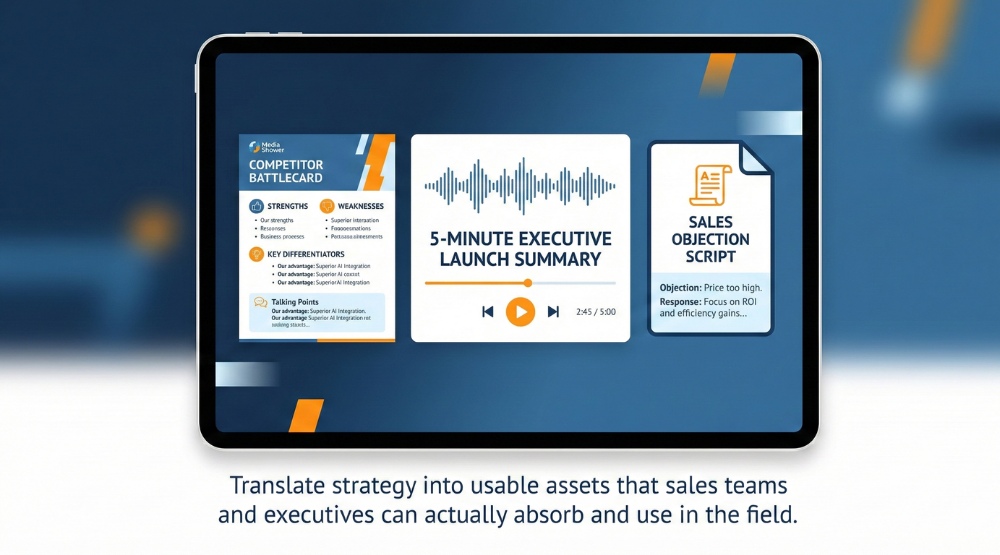
Gemini helps teams convert strategy into assets that sales, product, and leadership can use immediately with no extra rewriting, repackaging, or internal translation.
Step 1: Create enablement kits
“Create a sales enablement starter kit with battlecards, objection scripts, customer scenarios, and an explainer video script.”
Step 2: Produce audio summaries
“Create a five-minute audio overview presented as a dialogue between two hosts.”
Step 3: Generate documentation
“Create a structured version of the Strategy Brief and campaign plan suitable for Salesforce, HubSpot, or internal wikis.”
With these assets in place, internal teams stay aligned without extra hand-offs or clarification cycles. Gemini transforms strategy into ready-to-use documentation, keeping sales, marketing, and leadership operating from the same source of truth—and accelerating execution across the entire organization.
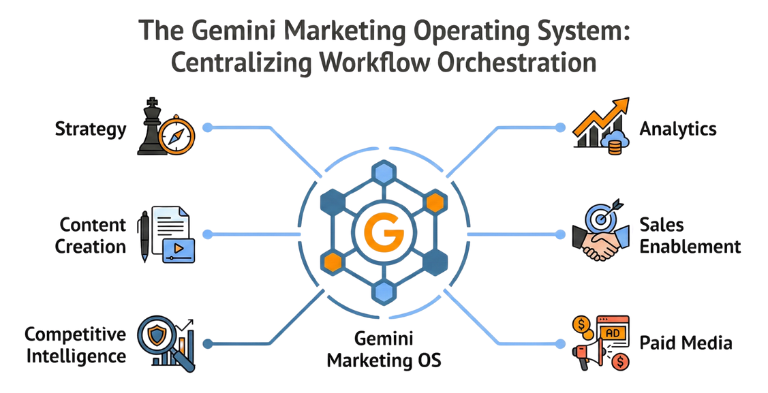
When you combine these workflows, Gemini becomes the connective tissue of your marketing operation. It handles:
- Strategy: Refreshed regularly based on real signals, not annual planning cycles.
- Content: High-volume assets generated from a small set of high-value sources.
- Visuals: On-brand imagery created instantly with Nano Banana.
- Ads: Structures optimized against competitive pressure and intent data.
- Sales enablement assets: Generated from the same core messaging architecture, so sales and marketing are finally speaking the same language.
Gemini keeps marketers in control while removing the bottlenecks that prevent them from operating at a strategic level. The teams that adopt this orchestration model will outpace those still stuck in manual workflows, not because they work harder, but because they work on what actually matters.
Marketer Takeaways

- Shift from creation to curation. Your most valuable work will be shaping the inputs and validating the outputs, not producing every first draft yourself.
- Context is the new king. Strong results come from loading real customer, product, and performance data so the model reasons from your truth, not generic patterns.
- Visuals become strategic assets. On-brand creative is generated instantly with Nano Banana, letting you test narratives earlier and keep messaging and design fully aligned.
- Data becomes actionable. Gemini interprets your performance data and competitive signals, turning them into clear, confident recommendations instead of overwhelming spreadsheets.
- The “full stack” professional returns. Gemini 3 lets you move from copy to design to strategy in a single session, restoring agility and breaking down the silos created by specialized roles.