
Creating a custom AI marketing assistant is harder than it looks.
Most marketers treat custom AI assistants like magic boxes. They dump in brand guides, blog posts, sales brochures, and competitor analyses, write a long prompt, and expect perfect output.
The results usually disappoint.
At Media Shower, we build custom AI assistants that operate inside real workflows. For example, one client uses an assistant during live sales calls. While they’re on Zoom with a prospect, their sales team pings the AI for competitor analysis, pricing details, and conversation prompts tailored to what the prospect just said.
These assistants work because we treat them like tools that sit at the intersection of software development and traditional marketing. Building them is a hybrid discipline with its own rules and learning curve.
Here’s our approach to making AI assistants reliable.
Training Data: Less Is Actually More
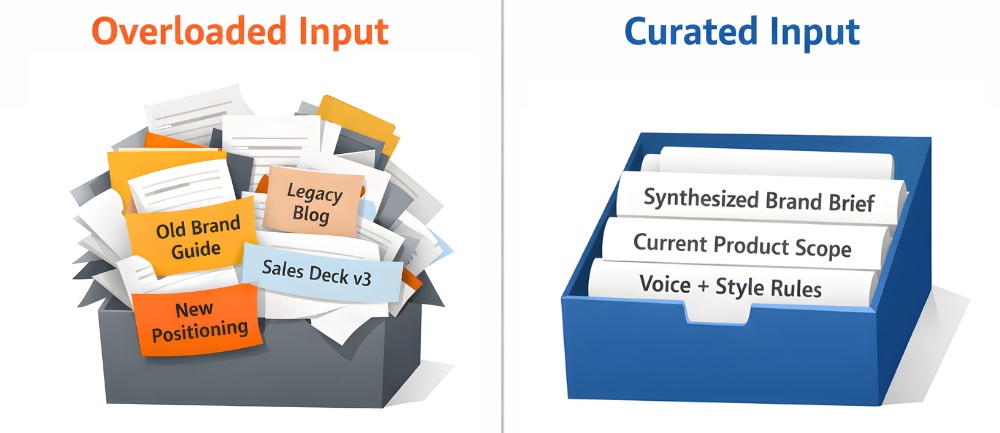
The biggest mistake marketers make when building AI assistants is throwing everything into the system.
They upload brand guides from different eras, outdated messaging from former employees, years of blog content, and sales materials. They figure more information equals better output.
It doesn’t work that way, and here’s why.
Memory limitations
Just like humans, AI systems have limits on how much they can hold in their head at once. This is called token length, or the context window. The more you ask the AI to remember, the harder it becomes to get the output you want. Performance degrades.
Contradictions
Many clients have style guides that are outdated. While the company has rebranded, they haven’t yet updated their brand guidelines. Or they upload older data along with newer materials, and the builder is not aware that they don’t always agree.
When your training data contains conflicting information, or it says one thing but your prompt says another, the AI tries to guess which should take priority.
That’s where output starts to fall apart.
The Fix
The solution is streamlined training data. We take all that information and synthesize it into short, readable documents that are very clear and easy to understand.
This approach does two things:
- It trains the AI: It helps the AI understand exactly what this company does and what products they offer.
- It trains the humans: it finally gets everyone at our client on the same page about how they actually talk about their company, customer, and brand.
Think of it like this: You wouldn’t hand someone a filing cabinet full of conflicting documents and ask them to write a memo. You’d give them a clear brief. AI needs the same consideration.
Instruction Design (The Prompt)
Messy prompts produce messy output. Here are some common problems you’re likely to run into.
The AI-generated prompt trap
The problem starts when people ask AI to generate AI prompts for them. AI is terrible at this. You get these sprawling, recursive prompts that sound comprehensive but confuse the model.
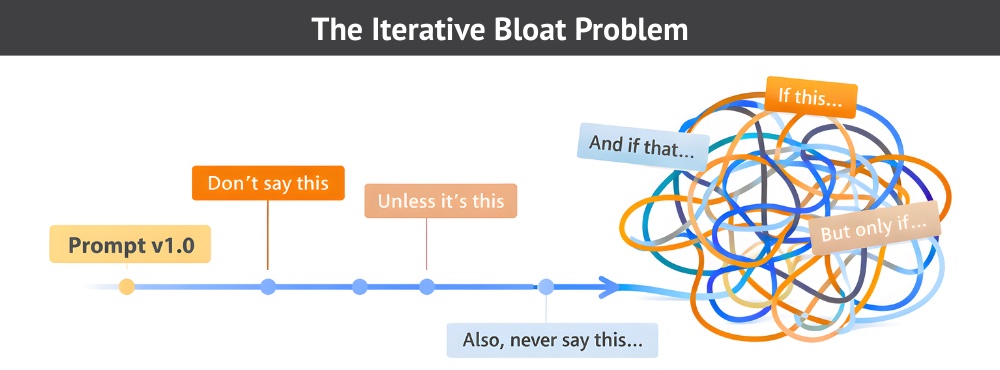
The iterative bloat problem
Someone starts with a messy prompt, puts it in the system, and the AI doesn’t quite deliver what they want. So they add: “By the way, don’t ever say this.” Then they add: “And don’t say this unless it’s this.”
Pretty soon, the prompt is packed with weird conditional instructions that conflict with each other.
The AI doesn’t process these instructions sequentially. It holds everything in its head at once and tries to weigh all these conflicting instructions together. Then it guesses at the best output based on that weighting. Results become unpredictable.
The Fix
The solution is to prompt like a programmer. Programmers have a term for this: “elegant code,” meaning code that’s extremely concise. It packs the maximum amount of meaning into the fewest characters.
Writers have a similar principle. In The Elements of Style, Strunk and White advise: “Omit needless words.” That instruction itself is elegant. They don’t say “avoid using more words than necessary.” Just “Omit needless words.”
Apply this to your prompts. Trim needless instructions. Organize the structure so it’s clear and easy to understand.
If you don’t have a computer science or coding background, this can be difficult. Some marketers just don’t have the technical foundation needed to talk to machines effectively.
That’s where the hybrid discipline comes in. You need both marketing understanding and technical precision.
Version Control: Treat AI Assistants Like Software
AI assistants are never finished. They need constant iteration and improvement, just like software. Here’s how we approach version control.
Think in releases, not publications
With software, you release version 1.0, find bugs, release version 1.1, etc. Then you add some features and release version 2.0. We take the same approach with AI assistants. We check in with clients, then keep revisiting, improving, and updating their functionality.
This is a new mindset for marketers. We’re trained to think: Write a blog post, publish it, move on. It’s dated and done. But that’s not how software works, and AI assistants are software.
The version control problem
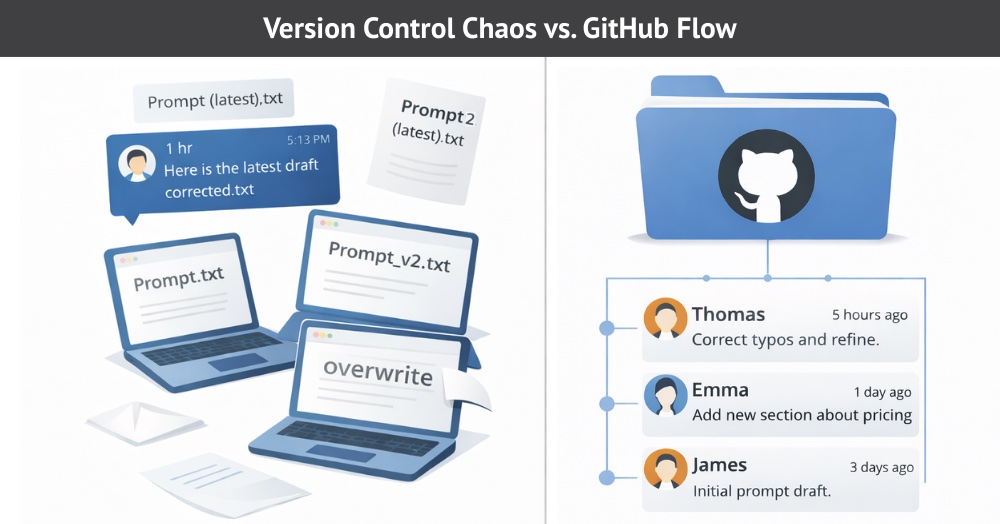
The problem with iteration is version control. Often, multiple people work on different AI versions. A marketing manager builds version 1.0, then leaves the company. Someone new takes over. The IT department wants to get involved. Pretty soon, you have a mess.
Someone notices a misspelled URL and makes a quick update. Without source code tracking, someone else who saved their own version of the prompt on their computer makes a change a month later. They unknowingly overwrite the first person’s fix.
One day, the misspelled URL is back, and nobody knows why.
The Fix
You need version control for AI assistants, just as developers have version control for any other code. The classic software solution is GitHub.
GitHub lets you store your training data, your prompts, and your usage guidelines in one place. It tracks every change, who made it, and why. Your team will have a development history that all members can reference.
We predict Github will become standard practice for AI assistant development. Teams will use GitHub or similar code repository systems to manage their AI assets like they manage any other software project.
The Human Element
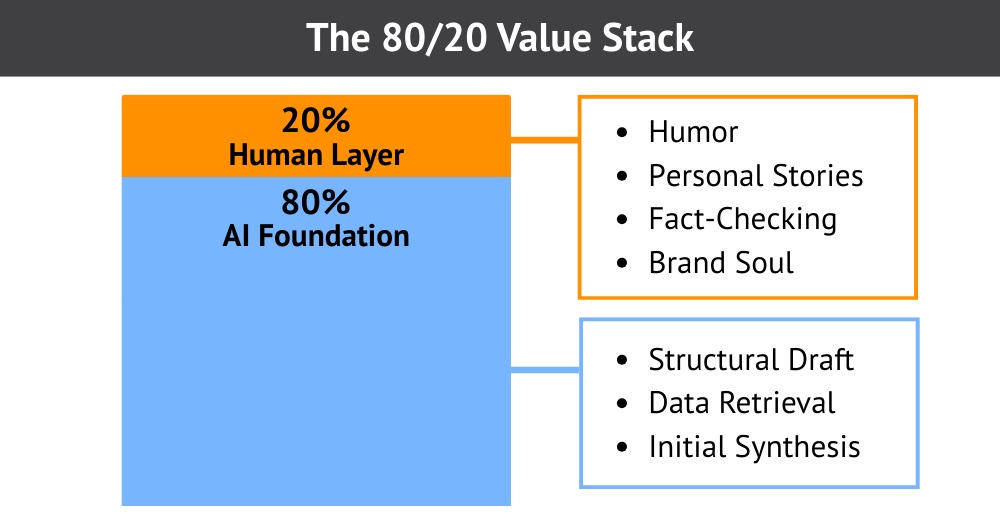
Our model at Media Shower is simple: AI plus humans. AI gets you about 80% of the way there. Humans come in and do the extra 20% to make it great.
Here’s how we do it.
Train teams to prompt
Prompting is a critical skill, and skills can be learned. That initial prompt someone writes determines the entire direction of what the AI produces. Teams need to be trained and updated on best practices; this is a critical competency for marketing teams.
Recognize AI tells
Everyone’s talking about the overused em dash–but there are many more AI giveaways. Every AI platform has their own “tells”: they are caused by the way their large language models (LLMs) are trained.
When you work with AI tools as much as we do, you start recognizing that voice everywhere.
We see newsletters every day that are copied and pasted from ChatGPT with zero human editing. It’s an instant turnoff. When it’s obvious that zero thought was put into content, it destroys the publisher’s credibility.
As more readers become familiar with the signs, they’re likely to feel that reading “AI slop” is not worth their time.
Treat AI like a junior editor
Treat AI like a rough draft or a junior speechwriter who gives you the bones of a speech. Then bring in human judgment and creativity to make it something you’re proud to share with the world.
Add humanizing components
There are tricks to making AI writing sound human, but the important part isn’t just removing overused ChatGPT phrases. It’s adding a human touch. Here are a few humanizing elements that AI has a hard time replicating:
- Stories
- Unusual grammatical choices
- Humor
- Slang
- Plenty of visuals
Marketer Takeaways
Building reliable AI assistants requires marketers to learn new disciplines.
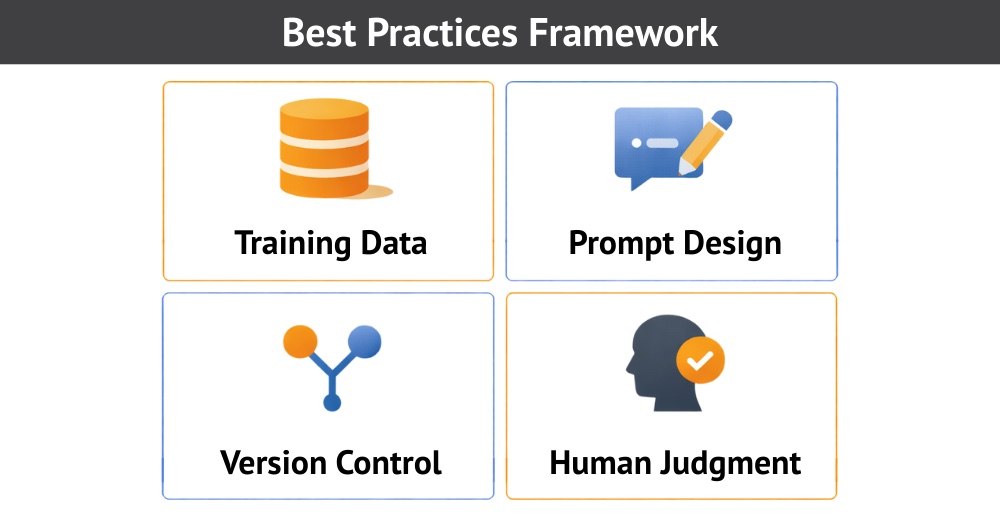
- Streamline your training data. Synthesize source materials into clear, focused documents. Remove contradictions before they confuse the model.
- Write elegant prompts. Pack maximum meaning into minimum words. Organize instructions clearly. Avoid iterative bloat.
- Use version control. Treat AI assistants like software. Use GitHub or similar systems to track changes and maintain a single source of truth.
- Layer in human judgment. Train teams on prompting skills. Recognize AI tells. Edit ruthlessly to add human voice, stories, and creativity.
These practices separate AI assistants that frustrate teams from those that become indispensable workflow tools. If you don’t have time to create your own AI assistants, let us build one for you.
Media Shower’s AI platform includes custom AI marketing assistants built just for you. Click here for a free trial.